maitegras | 16 years ago | 14 comments | 10 likes | 11.0K views
bylaw, michiel, LUDO and 6 others like this!
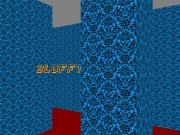
aqui dejo esta animacion y el show
saludos a todos
youtube.com...
Download media files (273.1 KB)


I am deeply impressed.
I remember somebody once asked in this gallery if it's possible to recreate the Pixar intro in BT. My answer was no. Today I am very happy to find out that I was wrong!
Thank you maitegras!!!

michiel, 16 years ago
This is Mega good. I like the spirit of "there must be a way and I'll find it".
Yousef, 16 years ago

That's the best Pixar tribute I've seen to date. Very good!
I would be very interested in what software was used to create the lamp.
kf_daddy, 16 years ago
the model is downloaded from www-roc.inria.fr...
for export to extension and piece by piece (cinema 4D)
thanks
maitegras, 16 years ago
I may be having some display issues lately. What is layer 9 doing? Is it the foreground spotlight because the bt show isn't showing the spotlight below the horizon of the kitchen floor for me. I'm guessing layer 9 is showing the light on top of the kitchen floor layer and text layers, but not when I play it. Is it just my CPU? Like the show.
Elect1, 16 years ago
Realmente muy bueno.
JOSE LUIS, 16 years ago
Help please. Thank you.
Elect1, 16 years ago
I don't understand the purpose of layer 9 either. I do not see any difference when I delete layer 9.
Maybe maitegras can explain its purpose.
michiel, 16 years ago
I just don't see how to get the foreground light or make the text and floor go behind the lamp light. Maybe I should take picture. Cool application.
What other animated openings are desired in BT?
Elect1, 16 years ago
hello again
9 if the layer is vital to the functioning of the show
17:273 second the second time 18:00 is the only one that does NOT have transparency.
this is because the layer 8 at the time gave me trouble seeing the light.
to use this show, first change the name on the (capa04) but lacks a letter and if does not fit, adjust by moving only from left to right or right to left, the (layer 05) should not move ever but if you change the text of the letter is missing from the layer (04)
the only layer we have to move all the (layer 04) from left to right or right to left.
the other layers should not move
Forgive me not explained earlier
maitegras, 16 years ago
Aha I see. So the purpose of layer 9 is to overexpose the light around 17:500
I suppose you have created layer 9 by cloning layer 8. And if you had wanted you could have deleted most of the keys of layer 9 because they have all been made invisible by setting the TRANSPARENCY property to 1.
Clever!
michiel, 16 years ago
Nice Goin! i tried to make remakes. they we're good, but not good enough.
J.Lyric, 14 years ago
I'm still learning. and hopefully improve over time.
I would like to see some of his work, you can probably inspire me.
maitegras, 14 years ago