
ALFA MEGA | a year ago | 6 comments | 2 likes | 530 views
liuyongcai and songbaojin like this!
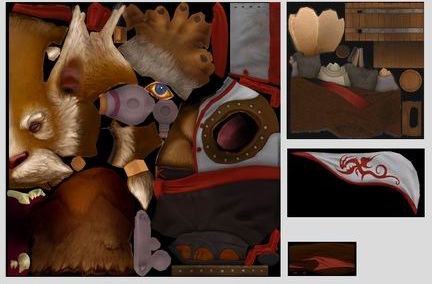
Hello Michiel, a question: is it possible to extract the textures from the glb models to modify color and so on in BLUFFTITLER? I see that in blufftitler you can view the UV mapping of the texture of the model. Can it be extracted in image format to modify it?


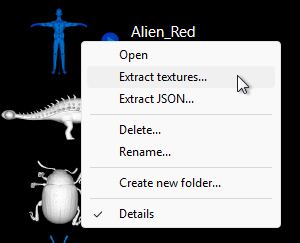
To extract the GLB textures, right click on the model in the file dialog and choose EXTRACT TEXTURES...

michiel, a year ago
A file dialog is a dialog where you can select a file.
A way to display a file dialog where you can select a model file is choosing the menu item LAYER > ADD LAYER > ADD MODEL LAYER....
michiel, 11 months ago
OK, found it.
I've just checked. This only works if you have:
Settings - Options - Use Standard Windows Dialog, unchecked.
lightads, 11 months ago