

Jesus | 7 months ago | 7 comments | 2 likes | 622 views
bambamD and songbaojin like this!
How to make text in Blufftitler, half one color and half another color.


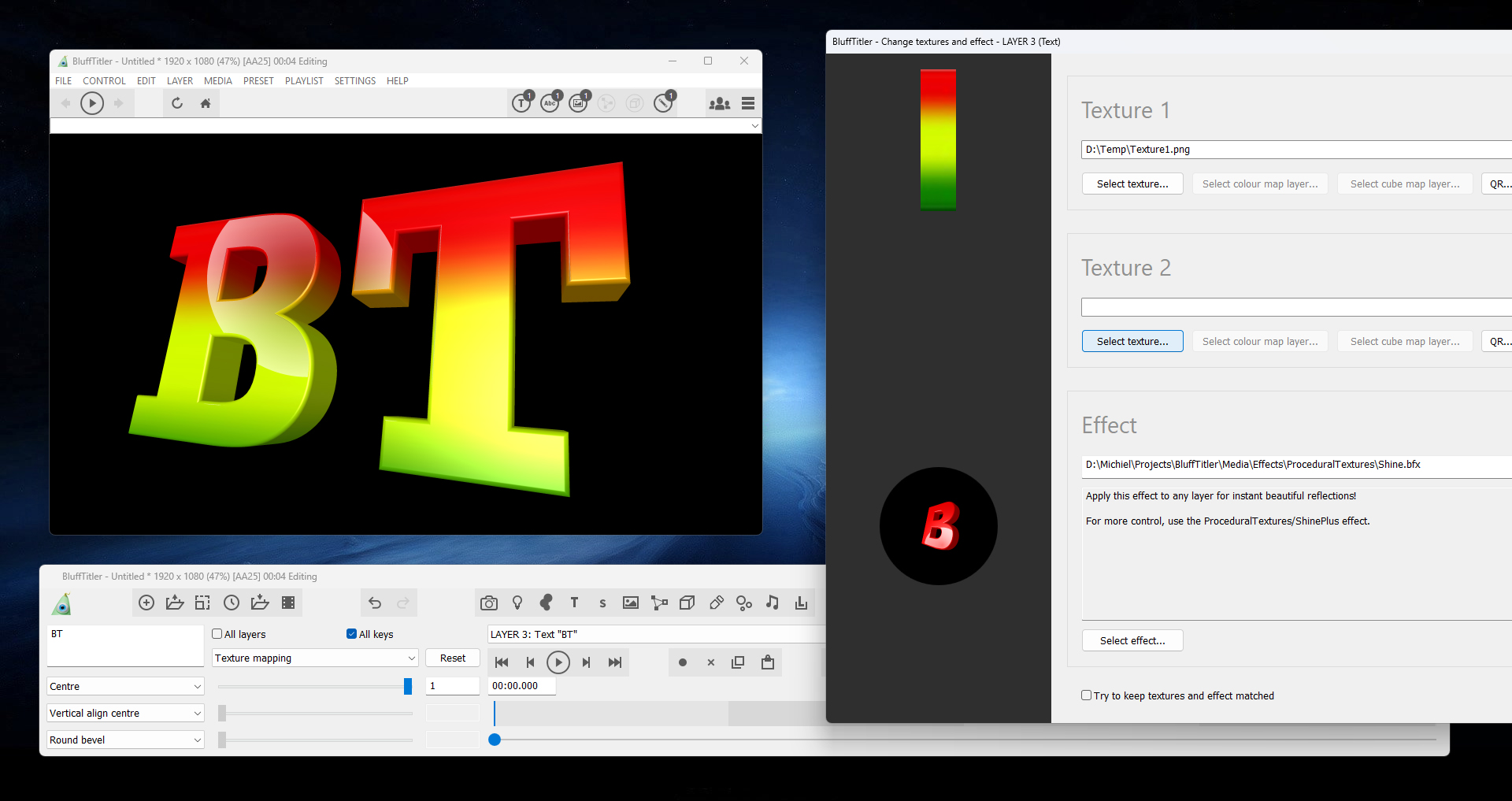
The easiest way is to prepare a texture in a paint app.
Press MEDIA > CHANGE TEXTURE... to apply the texture to the active text layer.
Set the TEXTURE MAPPING prop to 1.
Play around with the TEXTURE SIZE prop.
In this screenshot I have used the ProceduralTextures\Shine effect, but you can also use the basic Lightened effect, or no effect at all.

michiel, 7 months ago
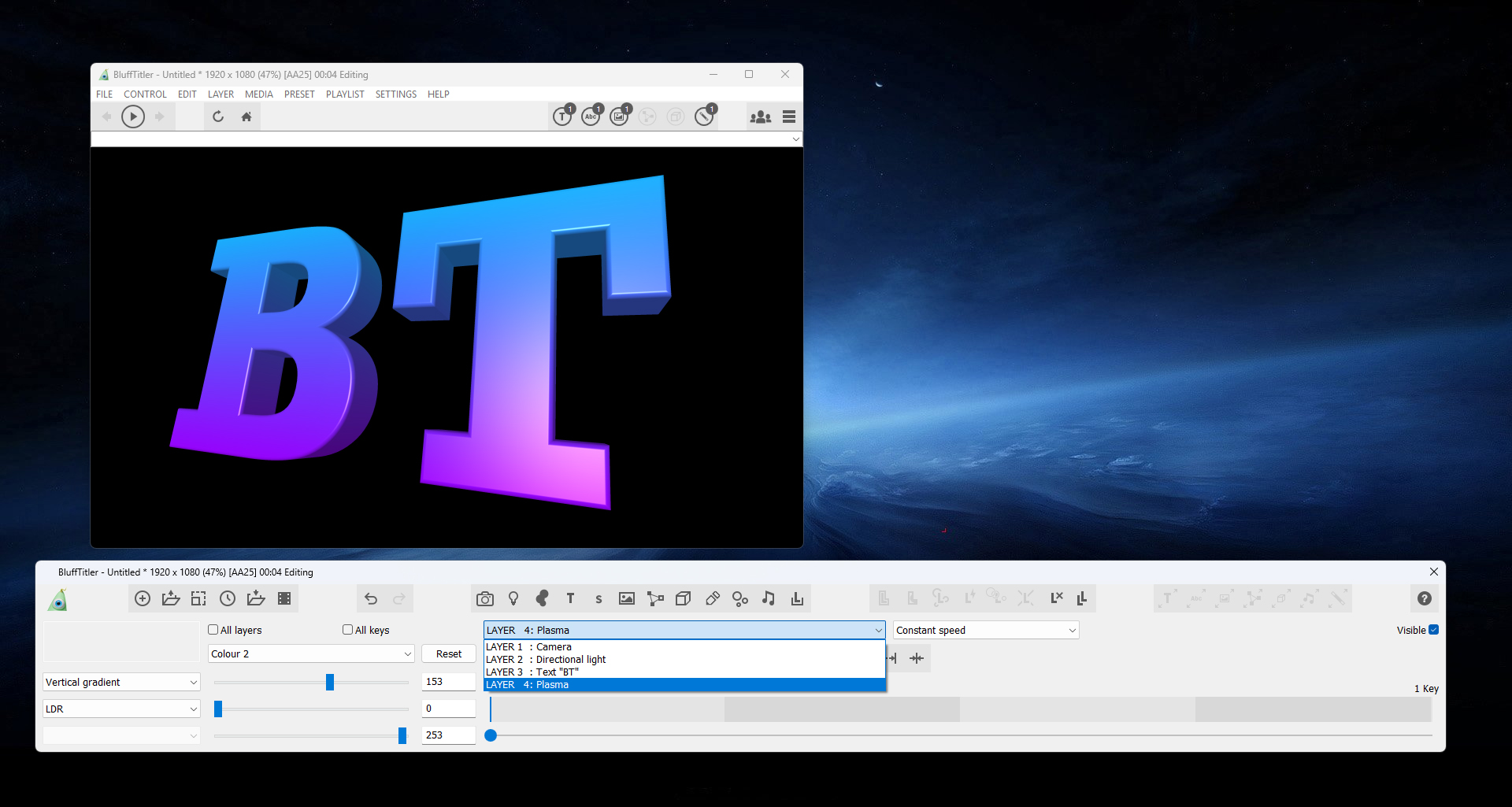
Another way is to attach a plasma layer to the text layer. Choose LAYER > ATTACH LAYER > ATTACH PLASMA TO ACTIVE LAYER...
This does not require a texture, but is more difficult because you need an extra layer.
Use the VERTICAL GRADIENT plasma style (1st dropdown) and set the colours with the COLOUR1 and COLOUR 2 props.
michiel, 7 months ago


This template from BixPack 51 will interest you.
It uses the new CLIP prop of the text layer. This offers great opportunities for gradients. Here's a quick test with one of your colour schemes.
The pack will be launched next week, but the video can already be seen here:
michiel, 7 months ago
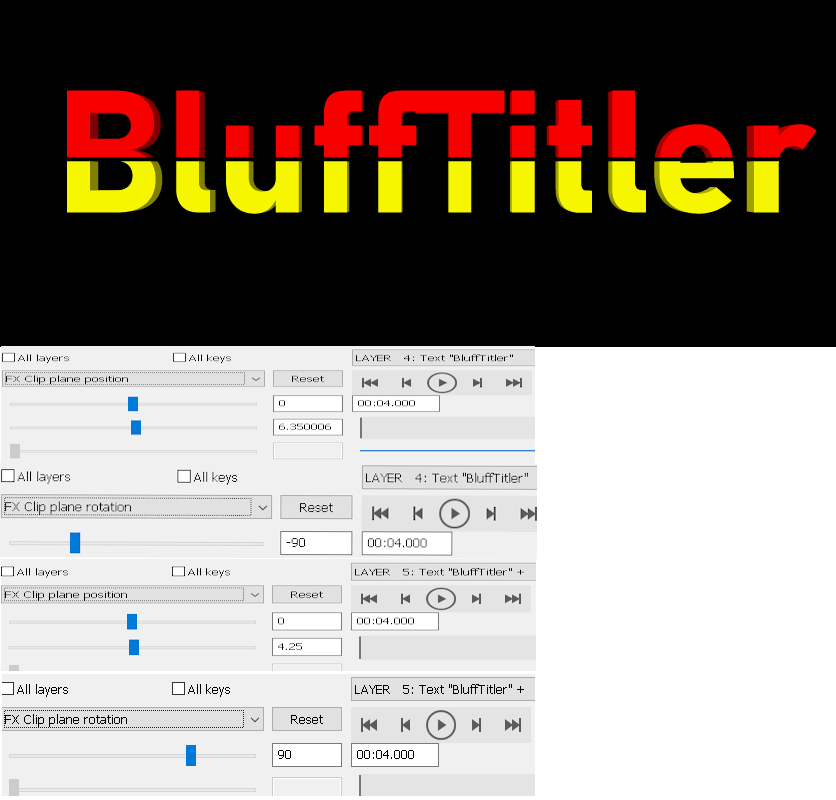
There are many possibilities such as TextClip.cfx
You need a
container
in the container two times the word BluffTitler (or any other word)
No textures
Use the effect TextClip.cfx
And use the settings in the picture and set a different color for ech layer.
Filip, 7 months ago

Filip, the Text\TextClip effect supports only 1 clipping plane, does not add a bevel at the edge, can't be used with other effects and is not exactly easy to use. All this is fixed by the CLIP layer property in the next version. Here's an example of what's possible
michiel, 7 months ago
Thank you Michiel, for your guidance and help.
Jesus, 7 months ago
Ik begon bijna het Wilhelmus te zingen😊. Can't wait. If we can do it the hard way, we appreciate the improved and simple way even more so
Filip, 7 months ago
Comment to this article
More by Jesus



















About Jesus
contact in email. esquivelvision@gmail.com
114 articles 262.7K views
Contact Jesus by using the comment form on this page or at esquivelvideostudio@gmail.com