
 bambamD | a month ago | 16 comments | 4 likes | 249 views
michiel, xuelianghua, songbaojin and 1 other like this!
video to remember my cousin Igor who won some Rally racings
all made with our dear Bluff!
Enjoy!


I'm puzzled by the variety of frame rates. From smooth in the beginning to jerky in the middle. I've also noticed this with some of your other videos.
Did you make a realtime screen recording?

michiel, a month ago
no Mr. michiel, GPU problems, 1GB only, make me final render sometimes in gaps or scratch's, but is what I fight on daily, intrusion into our laptop, but still he is winner! Hahahah
Rendered 8K with VR360 as from last showcase and integration into that area fixed by you and your team... difficulty have only when adding layers of thunders or something similar, origin render is with outstanding results in quality, so guess can be also YouBiTubiscuuu somehow... can send origin rendered by Bluff for an analytic, have that...
bambamD, a month ago
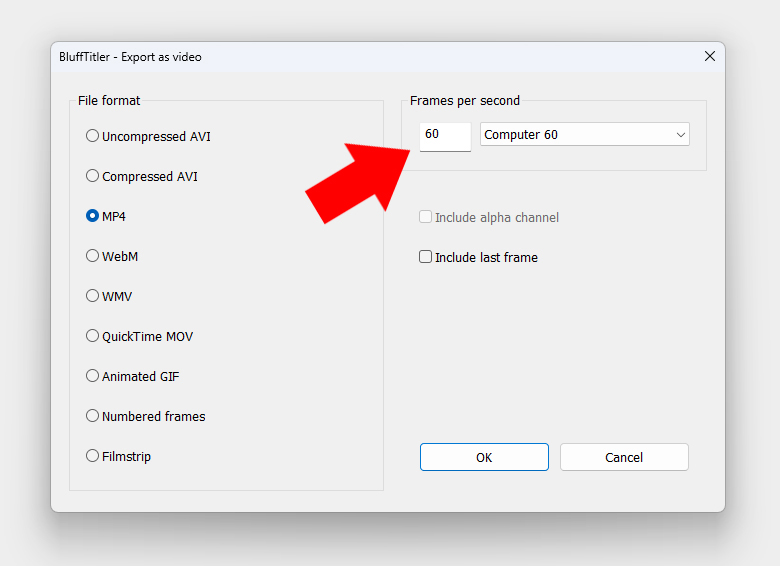
GPU problems can cause bad realtime performance.
But it can NOT cause a low frame rate in the exported video.
You set the frame rate in the FILE > EXPORT AS VIDEO... dialog.
michiel, a month ago
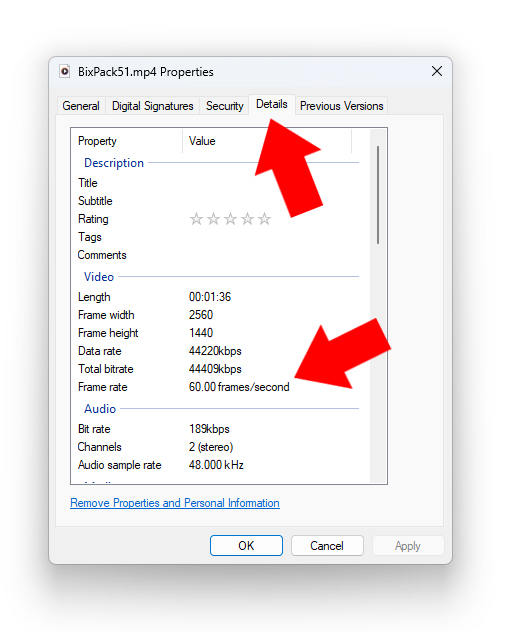
The frame rate of the exported video can be checked in Windows.
Right click on the video file and select the DETAILS tab.
michiel, a month ago
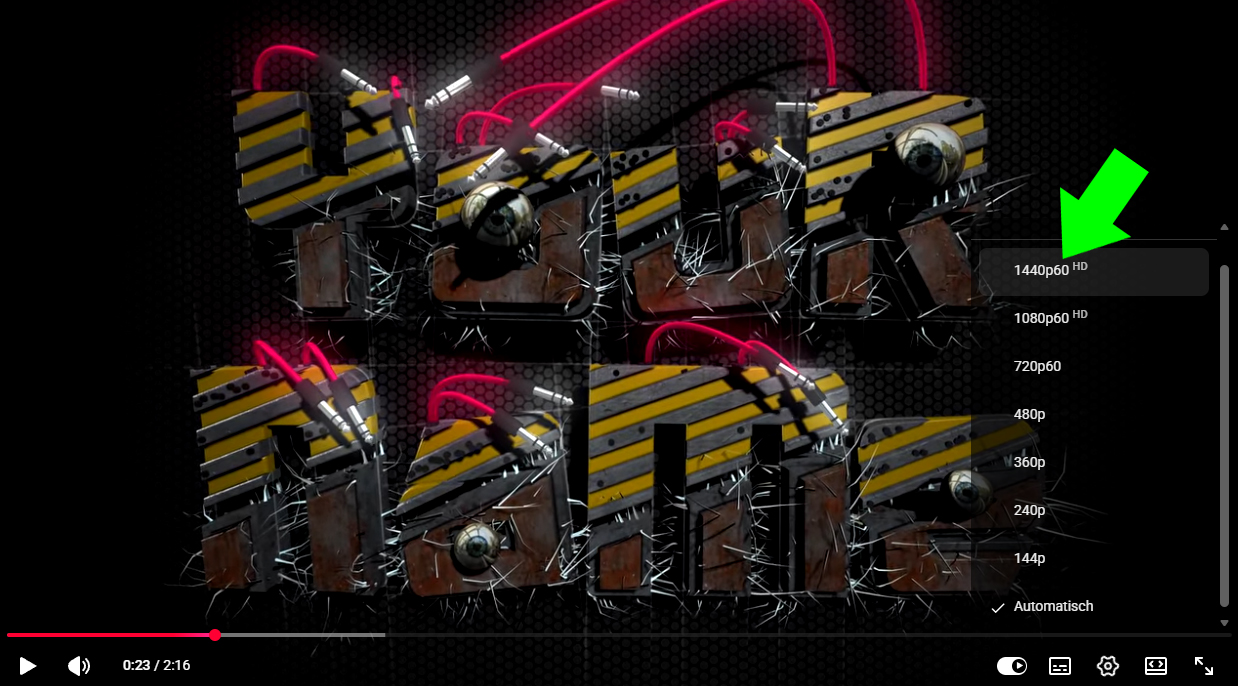
I advise to check the frame rate after each step. Remember that it's the weakest link that counts. For example if the source video is 10FPS and it's exported from your video editor as 60FPS, the result is technically 60FPS, but it still looks like 10FPS.
And also check the final product. On YouTube, click on the gear icon in the lower right and select QUALITY. In this screenshot you can see that YouTube has successfully imported the 60 frames per second video.
Or right click on the YT video and choose STATS FOR NERDS.
michiel, a month ago
I know that for years Mr. michiel, thank you for efforts and advices. Our laptop is badly damaged by intrusion of hackers, to say if understand what mean some of attack are CIF intrusions, that mean burns equipment, literary IN front of my eyes they burned my disks and monitor, that is not an Sci-Fi etc., that is real nasty games somebody play, but I got them, I sustain to not press log of access, collected till now more than 400+ intrusions digital fingerprints,
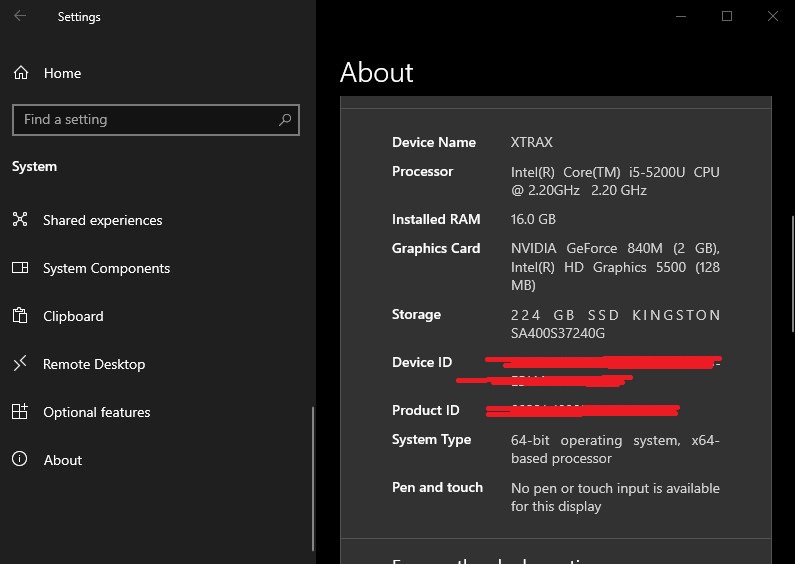
I know what mean render and can't be some fails into final product, but as by my knowledge IN front my eyes somebody play my resolutions, and is not possible to stop it, programs in the history of hacks attacks... one of them is program called and invented by -BH- Turks - PRO Rat -, with that is no virus, no possibility to get further, to be clean of it, must to throw everything in trashcan... means literary everything, will not go further on, in our laptop all is ok. Sometimes to export big data admit it, I do low framerate (25 - instead my ratio is 60 to 120 depend of resolution) VR 360 I made depend of data in Bluff up to 30 - 60) and that causes gaps and not fluid video, problem is what I mentioned before...
bambamD, a month ago
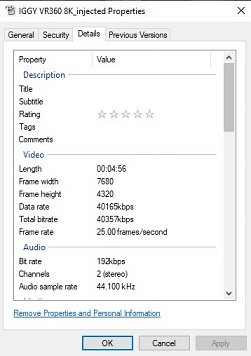
this is vr 360 and I know that is not resolution problem than just framerate 25 but can't render clean anymore
bambamD, a month ago
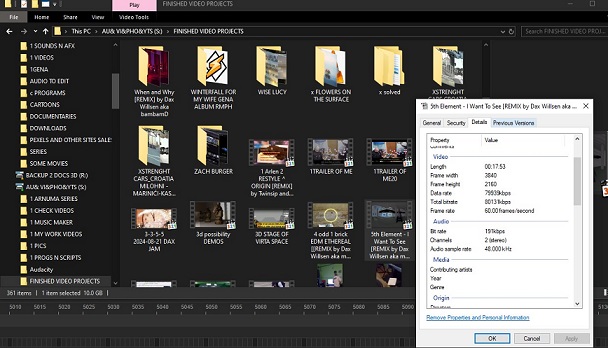
most my projects are rendered in same frame rate as I render in bluff from 60 - 120 but can't lot of them just by repeating not go.. damaged laptop....
bambamD, a month ago
so not to be worry, I wait justice instead to click where is x,y or parallels meridian to knock the door, I believe in justice and PACMAN never won game.
bambamD, a month ago
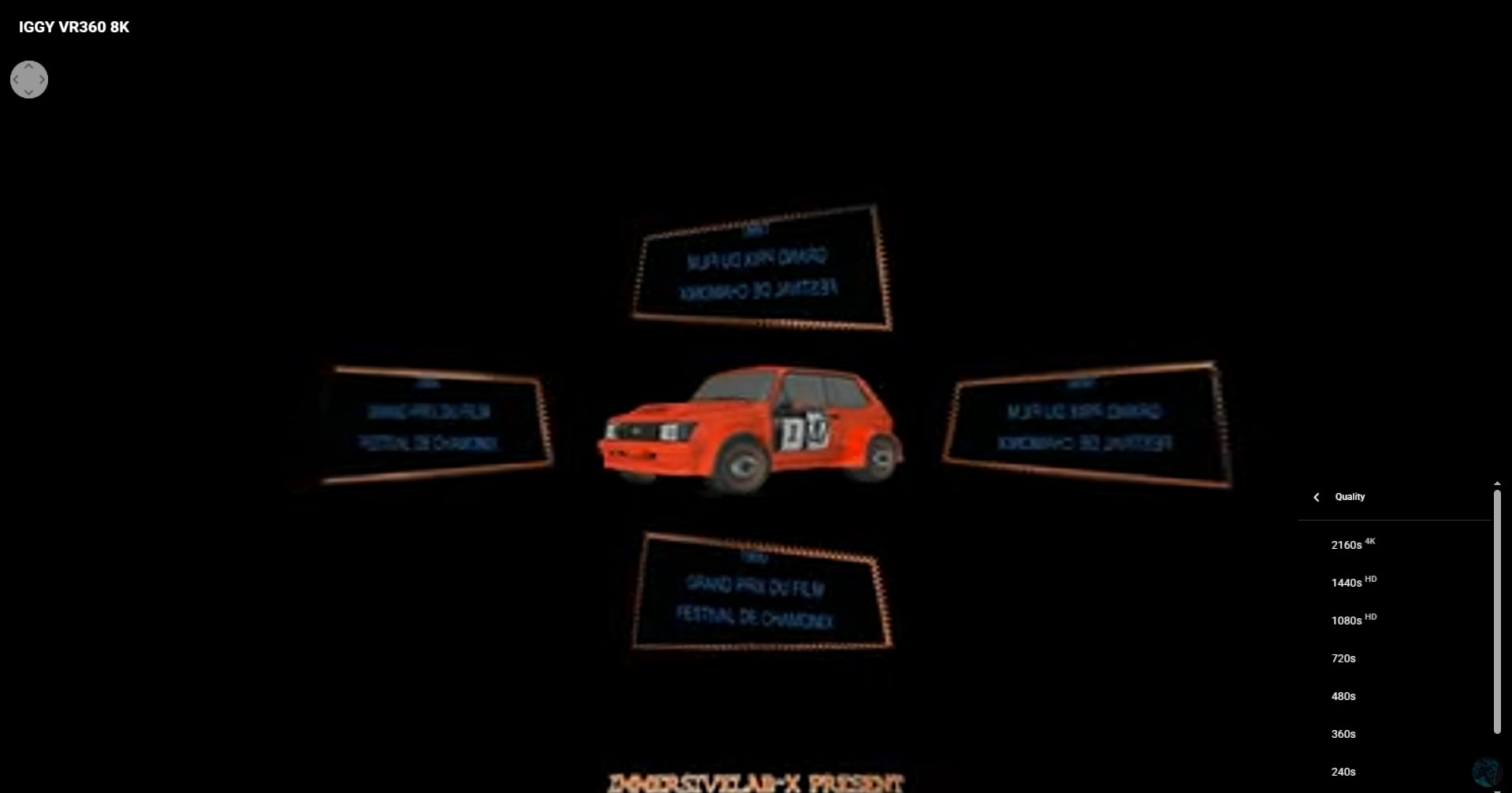
and everyone know that 8 K render is 4K at end... cause maybe just that hac.. sh.. is my problem to not make pure pure 8K 8K in VR360
bambamD, a month ago
SOURCE GOOGLE
When creating VR content, the final output resolution may not always match the capture resolution due to several factors. Here are some common reasons why you might end up with a 4K final instead of 8K:
Screen Overlap: Most VR headsets have a limited field of view, which means only a portion of the video is displayed at any given time. This can result in a lower resolution than the capture resolution.
1
Stitching and Compression: The way the video is stitched and compressed can affect the final output. Even with 8K capture, the stitching process and compression can reduce the effective resolution.
1
Post-Production Adjustments: Some post-production adjustments, such as cropping or reformatting, can also impact the final resolution.
1
Device Limitations: The capabilities of the VR headset used for playback can limit the resolution that can be displayed.
1
To achieve the best possible 8K output for VR content, it's essential to use high-quality equipment, optimize the production process, and ensure that the final output is compatible with the VR headset's capabilities.
bambamD, a month ago
Hope understand everyone my concern and not to be worry let we Bluff some things, will ya? ahhahha
bambamD, a month ago
8K requires an insane amount of memory. Maybe your video editor runs out of memory and automatically reduces the frame rate in order to survive.
When watching a 360° video on your phone, 4K is enough. Here's a VR 360° video in 4K and 30 frames per second.
Press - on the numeric pad to increase the FOV. This increases the sharpness of the video.
michiel, a month ago
thank you for advice! wuhaaaa
Yes can be... adapting to the system resources, have this only I do all this everyone can see, and also made 32 K video and 24 Ch music, but don't know how much will need to render only 1 frame??? aaaauu
for example years ago rendered with Amiga 4000 in Imagine software some vids and same with 500 and 600, 1200 got same results 1 frame 1 day approx. in amiga 500, also we did with VBS device (LF456x series of 8 pins) to transfer data from floppy disks 790Kb or advanced more by hole in the left upper side to max 1.44Mb to VHS system, cause floppy's bought from my friend in Wienna costed lot of money, so imagine again 25 PAL per second 25 days to made it, and shake will maybe lost electricity,, uuuuaaaa
bambamD, a month ago
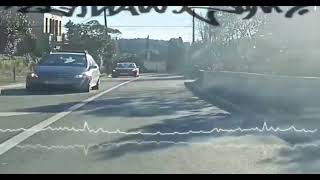
and if I say also this that with Sony Vegas is possible to make 360 games, We did, me and my cousin Igor,, he drives car in place above my city Rijeka, AND I shouted with camera road, but also found solution how to join that in PSX and VCD player, entrance, exit of, left, right, front back, try to play with that who like is super easy and can be fun for kids, example hide and seek game in own home!
bambamD, a month ago
A graphics card with 2GB video memory is a bit too little for rendering/editing 8K videos.
michiel, a month ago
Comment to this article
More by bambamD

























About bambamD
I am partner in my wife company XtraX 5G, teacher and open for suggestions and have will to share my knowledge in filming industry. Working with Bluff since 2010! But didn't learned all compatibilities that this program can make, also doing render WITH IClone reallusion and I am member of The CGBros, Yamaha and music Planet then Filmora Squad Leader Top Level.
101 articles 24.6K views
Contact bambamD by using the comment form on this page or at dgorjan@gmail.com