jfb | 10 months ago | 4 comments | 247 views
Bonjour, j'ai acheté Le BigPack 44. Quelqu'un pourrait-il m'esxpliquer, simplement (en pas à pas) comment changer changer le mot "Bluff" par un mot au choix dans Tech Demo_ Sketch_EPS. et dans Tech Demo_ Sketch_Traced Picture.
D'avance merci et Bonnes Fêtes à tous et à toutes.
J.F.B


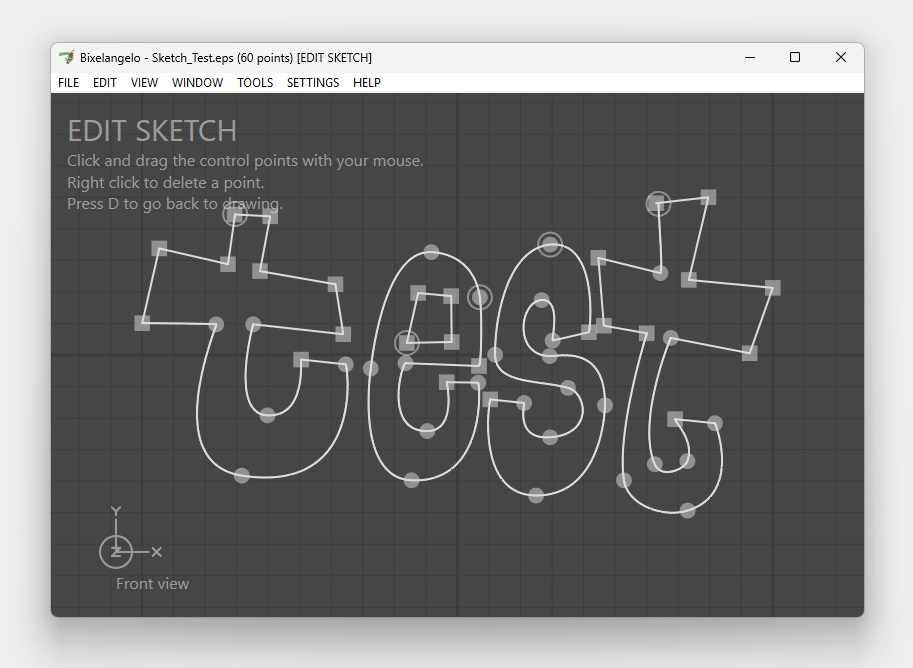
1st step is to record your handwriting in a vector drawing app and save as EPS.
This screenshot uses Bixelangelo, but you can use other vector editing apps:
outerspace-software.com...

michiel, 10 months ago
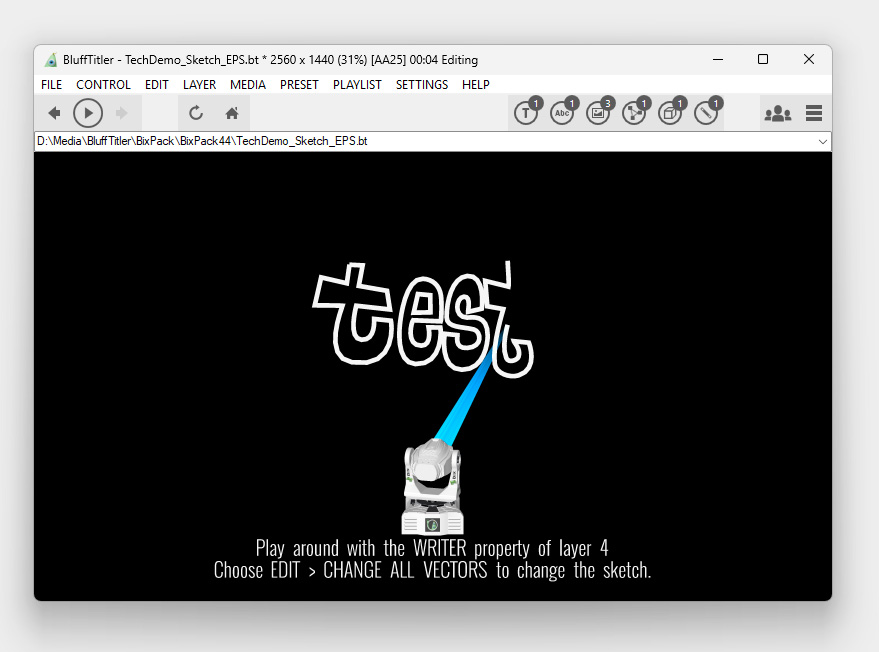
2nd and last step is to open BixPack44\TechDemo_Sketch_EPS.bt, choose EDIT > CHANGE ALL VECTORS... and select your EPS.
michiel, 10 months ago

A totally different way is to use stick fonts. Instead of using your own handwriting, this uses stock fonts.
The tutorial video explains it all:
michiel, 10 months ago
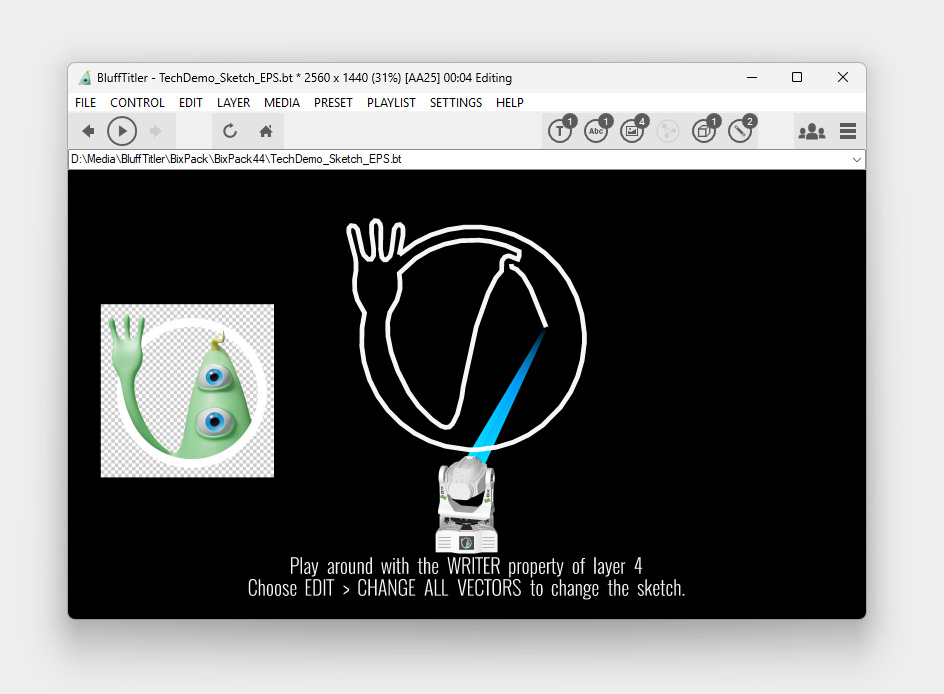
And another way is to trace a transparent picture:
-select layer 4
-choose MEDIA > CHANGE TRACED PICTURE...
-select your transparent picture
This screenshot uses Bix2.png from the installer, but you can use any transparent picture you like.
michiel, 10 months ago