 Pioneer | 7 months ago | 5 comments | 288 views
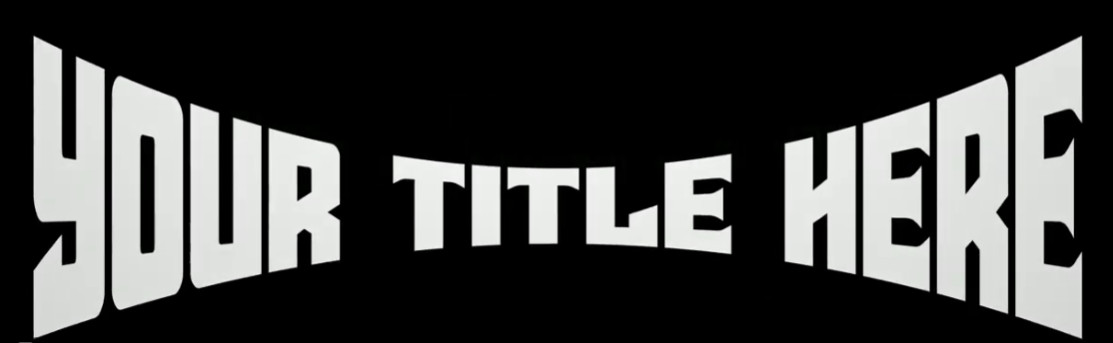
Good afternoon to all. Can somebody explain to me how I can produce the text warp in BT please? Cheers John


Your screenshot looks like a text layer using the Text\AscenderBender effect:
-Select your text layer
-Choose MEDIA > CHANGE EFFECT... and select the Text\AscenderBender effect.
-Fine-tune the effect with the layer properties starting with "FX".
Here's a collection of templates that exploit the power of this effect:

michiel, 7 months ago

Thanks for the answer, thank you for this explanation. Is there anyway I can get the text in the middle to enlarge and become the warped opposite of my example using this effect please?
Pioneer, 7 months ago
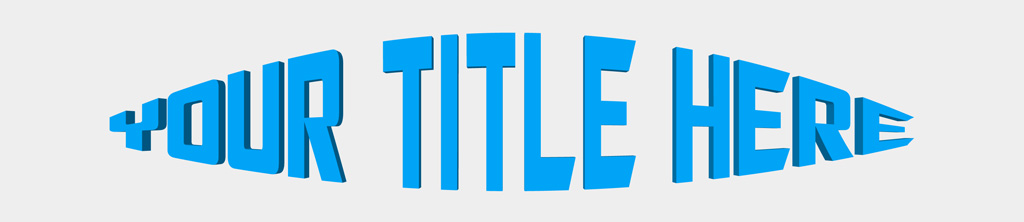
Set the FX BENDER INVERT prop to 0.
Use the 1st and 2nd slider of the FX BENDER RADIUS prop to fine-tune the effect.
Nice variation! Looks like a 🐟😄
michiel, 7 months ago