 Franco Aversa | 4 months ago | 15 comments | 9 likes | 501 views
sinus300, bambamD, liuyongcai and 6 others like this!
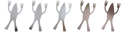
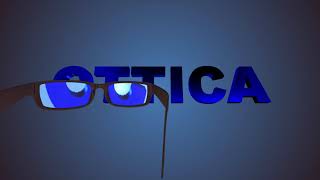
example of an animation that unfolds over a wider plane, with the camera following the object to highlight the key stages of the story.



I have already made the second, more beautiful version, it is to help friends learn how to create simple animations on wide fields with photos.
Franco Aversa, 4 months ago
Great
Filip, 4 months ago
Nicely 🦋 done 🦋 👏👍
Have you tried matching the butterfly in the photo? Or did contrast work better?
Sketchfab has a huge collection of beautifully animated butterflies:
sketchfab.com...

michiel, 4 months ago
Thanks Michiel,
now it makes me want to redo it by inserting the GLB model.
Anyway, the idea was to keep it as short and simple as possible
to create a tutorial for my subscribers and explain the technique.
So the simpler it was, the better it worked for a technical explanation
that could later be refined and improved.
How can I handle this with the butterfly path?
I moved it manually, but I showed that it can be created in Bixelangelo.
Could there be, in the future, another method — a layer that generates points
that can be increased or reduced, and on which you can place straight lines
or Bézier curves to use as a path for attaching a figure?
This way it would be possible to create editable paths in much less time.
Thanks,
bye.
Franco Aversa, 4 months ago
There's nothing wrong with keyframing the positions. Especially when it's only a few pictures.
When you want to automate things, you could try attaching the pictures, butterfly and camera to the same path:
-draw the path in Bixelangelo
-save as EPS
-render with a sketch layer
-attach a picture, model or camera layer
-animate the path with the WRITER prop of the sketch layer
-make the sketch layer invisible by applying the Invisible effect
This however does not automate everything because you probably want to keyframe the position and rotation *relative* to the path, which means that you end up with a more complex layer structure and even more keyframes 😵💫😵😕
michiel, 4 months ago
Yes, Michiel, I showed that you can proceed like this, creating an EPS and then using it for both the butterfly and the camera, or even using two different paths.
I taught exactly what you told me.
I went a little further by saying whether it would be possible to have a new layer to create a kind of points inside blufftitler that can move to create a path.
Do you think it would be possible?
Franco Aversa, 4 months ago
That would mean integrating BluffTitler and Bixelangelo into one big app.
Technically possible, but do you really want one big app that can do everything?
michiel, 4 months ago
I didn't want to draw the route, I was thinking of a series of points that can be moved in space to define the route.
Maybe the best system is still the one based on individual keyframes. After all, with just three keyframes I can already define a curve, and by using the available interpolation modes I can fully control the motion of an object in BluffTitler.
A path becomes necessary only when we need to replicate the same movement on another object, such as a camera that follows the original animation.
So my question is:
would it be possible to copy the keyframes of one object and apply the exact same movement to another layer by simply pasting those keyframes?
In other words: copy all the position keyframes and paste them onto a new layer.
This might be a much simpler solution, without requiring any changes to the core engine of BluffTitler.
Franco Aversa, 4 months ago
Instead of copying the keys of a container layer to the camera layer, it works better to attach the container to the camera. And then you can attach your model layer to this camera layer. Problem with this is that the model appears to be standing still, because it perfectly follows the camera. To fix this you can manually add some keys to the model layer which means that you, again, end up with a more complex shows with even more keyframes 😕😵💫
michiel, 4 months ago
suza se i o fatto sbagliare le lettere italiane ma no ho fato scrivere nunche parlale la lingua per anni!

bambamD, 4 months ago
Comment to this article
More by Franco Aversa











About Franco Aversa
I'm a videomaker since 1986, now I work at my company.
356 articles 653.8K views
Contact Franco Aversa by using the comment form on this page or at facebook.com/francoaversavideomaker/