 lightads | 11 months ago | 6 comments | 466 views
In the Particle Layer, in the top drop down, will it be possible to add 3D paint splatter to the selection?


What do you mean? When you search in the community on the word "splash" you find a few examples.
Is there one that comes close?
Filip, 11 months ago
In this show -
\Media\Shows\Particle\Splatters.bt
the splatters are drops and not spatters. You can change the shape of the splatters in the top drop down.
lightads, 11 months ago
Do you mean waterdrops or do you want them splashing on the ground. Some kind of rain?
Filip, 11 months ago
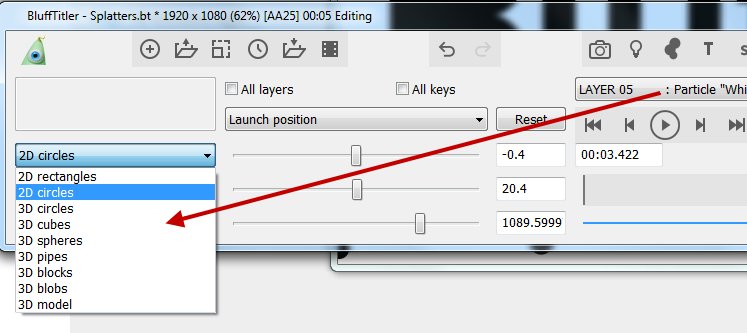

Yes @Vincent that is the list.
Paint splatters are different to drops.
Here's an excellent paint splatter example:
outerspace-software.com...
lightads, 11 months ago

After selecting 2D RECTANGLES in the 1st dropdown, you can finetune the shape of the particles by selecting a texture. This gives you full control.
Here's a quick test how this looks like in the installer template Particle\Splatters.bt.
Choose MEDIA > CHANGE TEXTURE... to change the texture of the active layer.
Use a black texture with a white shape.
Fine tune the effect with the PARTICLE SIZE, EMISSION and COLOUR props.

michiel, 11 months ago
Comment to this article
More by lightads


About lightads
Using 3D BluffTitler to give me the edge in my video editing :)
148 articles 166.4K views
Contact lightads by using the comment form on this page or at filmingphotoguy@afrihost.co.za