 Thor5ten | 17 hours ago | 6 comments | 5 likes | 116 views
vincent, Alex-Raymond T., xuelianghua and 2 others like this!
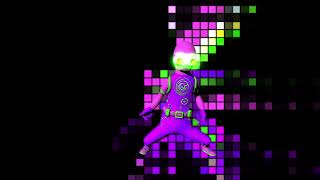
I always loved the TPose.cfx. It's so much more speedy than taking your t-posed models to a rigging service/software. The best is and was it's integration in BT. The only drawback were that the pre-made animations only consisted of basic movements like walk and jump.
With the help of Claude AI I've integrated 7 new patterns and added a basic speed option. The 1st slider of the FX ANIMATION prop selects a predefined animation pattern that is played in a loop: 0 = off (use the rotation props), 1 = walk, 2 = jump, 3 = run, 4 = sexy, 5 = shuffle, 6 = sneak, 7 = stomp, 8 = strong, 9 = strut. The patterns 3 to 9 also move the arms, the head and the body. The 2nd slider is the speed: 0 = standing still, 1 = normal speed, 2 = twice as fast. Slow speeds fade into a relaxed standing pose.
With this you can easily populate an empty city scene like in the YT video above. Just decompress the included files to your effects folder and you are good to go.
Download media files (19.1 KB)



Thank you vincent and liuyongcai. You definitely have sweet dreams, vincent. 😄 I might have been slightly inspired by all those GTA VI videos popping up on YT. Their whole NPC system looks amazing. 😎
Thor5ten, 3 hours ago

Useful extensions to the Model\TPose effect!
BTW, the default FX [SETUP] values are based on this model:
sketchfab.com...
Oh, and don't forget to update to the latest version of BixPack 33 | City Lights. It's a free update and the interior maps look so much better:

michiel, an hour ago
Thanks bambamD and michiel. Cool update to the BixPack! 🤩 I must have lived under a rock to miss out on that.
Thor5ten, 25 minutes ago