
 michiel | 2 months ago | 4 comments | 2 likes | 322 views
liuyongcai and xuelianghua like this!
When you've accidentally selected the wrong language and don't know how to go back, here's how.
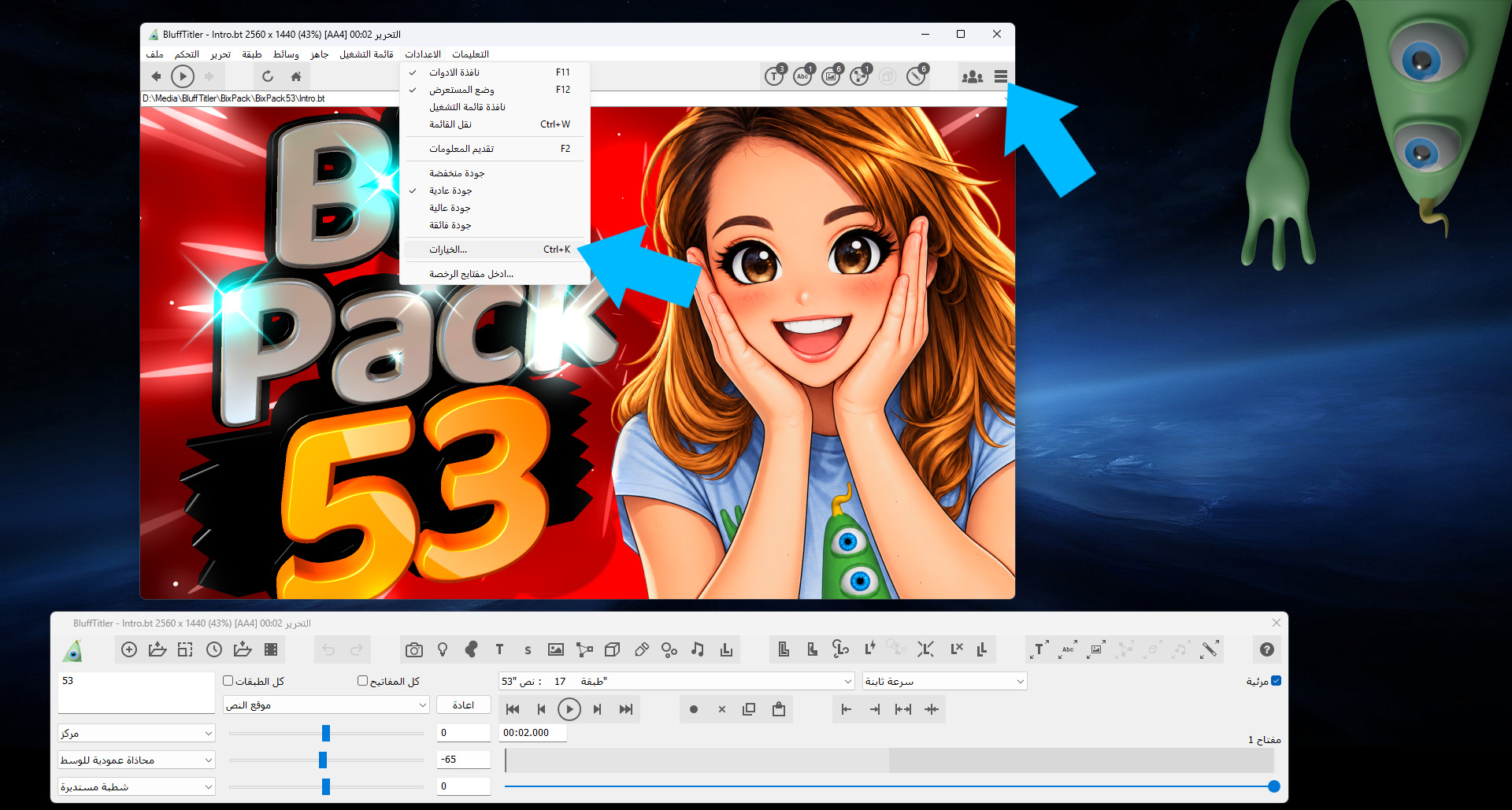
The menu item you're looking for is SETTINGS > OPTIONS...
Yes, this is difficult to find when you have selected a language alien to you...
It's the second to last sub menu item of the second to last main menu.
Or press <Ctrl> K
Or click on the hamburger icon in the top right of the render window.


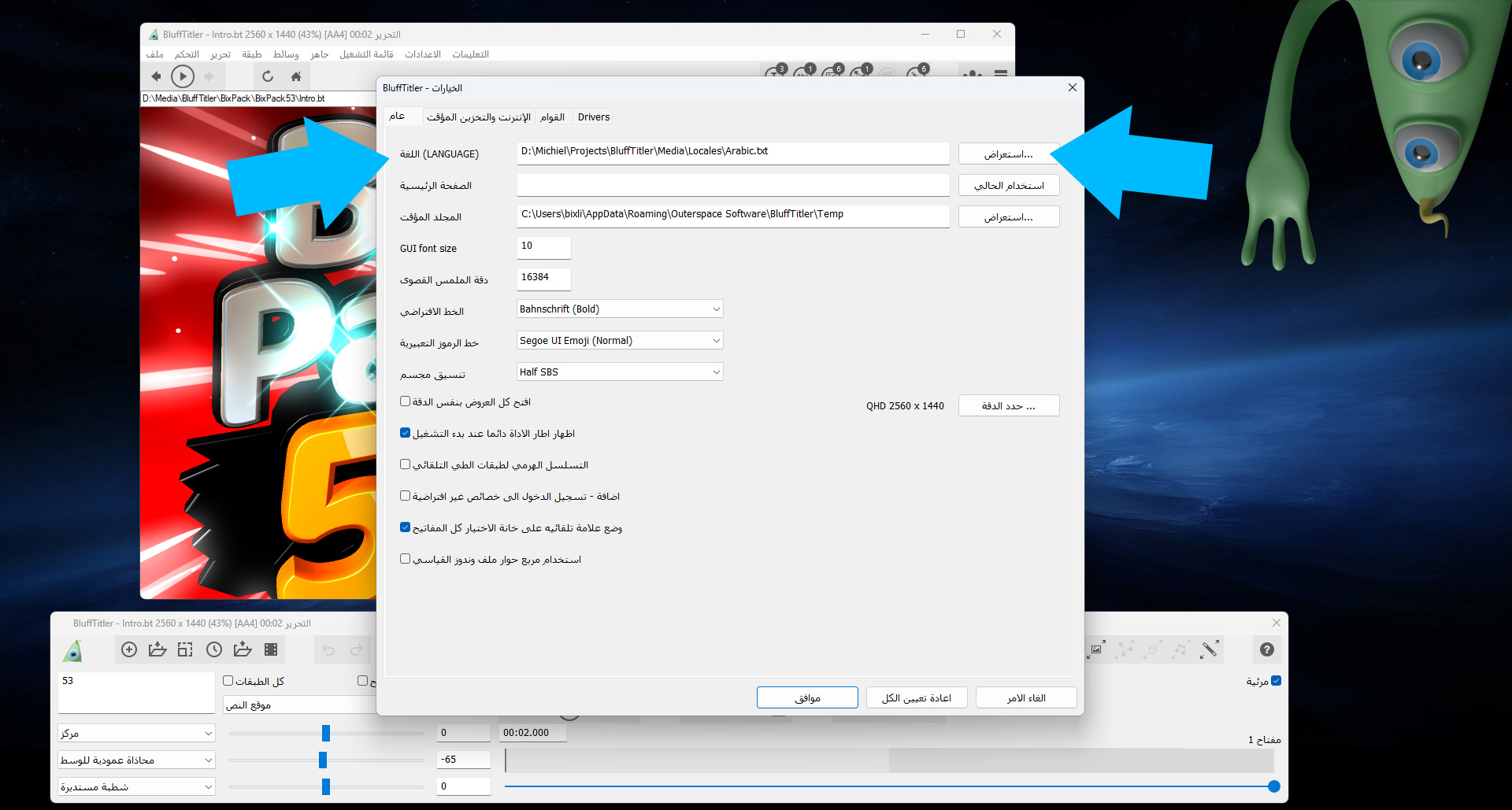
The top item in this dialog is the language!
The button to the right is the BROWSE button. This opens a file dialog where you can select the language.
michiel, 2 months ago
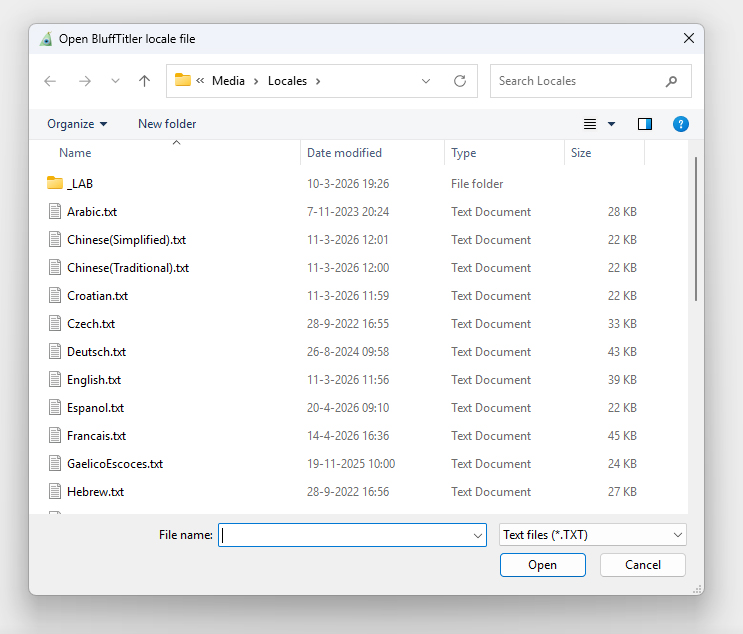
The list is sorted alphabetically: Arabic is on top.
That's probably the reason everybody ends up with Arabic...
So please do *NOT* mindlessly select the top item. *ONLY* select Arabic when you actually speak Arabic 🫤
michiel, 2 months ago
A dramatically different way is to press <Alt> X
This resets *ALL* settings, including the language. Next time you start the app it uses the built-in Dutch. Euh, I mean English 😉😁
michiel, 2 months ago

Comment to this article
More by michiel












About michiel
Michiel den Outer is the founder and lead coder of Outerspace Software. He lives in Rotterdam, the Netherlands.
If he isn't busy improving BluffTitler, he is playing the piano or rides the Dutch dikes on his bikes.
890 articles 4.8M views
Contact michiel by using the comment form on this page or at info@outerspace-software.com