 michiel | a year ago | 8 comments | 9 likes | 1.6K views
liuyongcai, snafu, LostBoyz and 6 others like this!
Version 16.7.6.4, launched today, makes it easier to glow only a few specific submodels of a model layer.
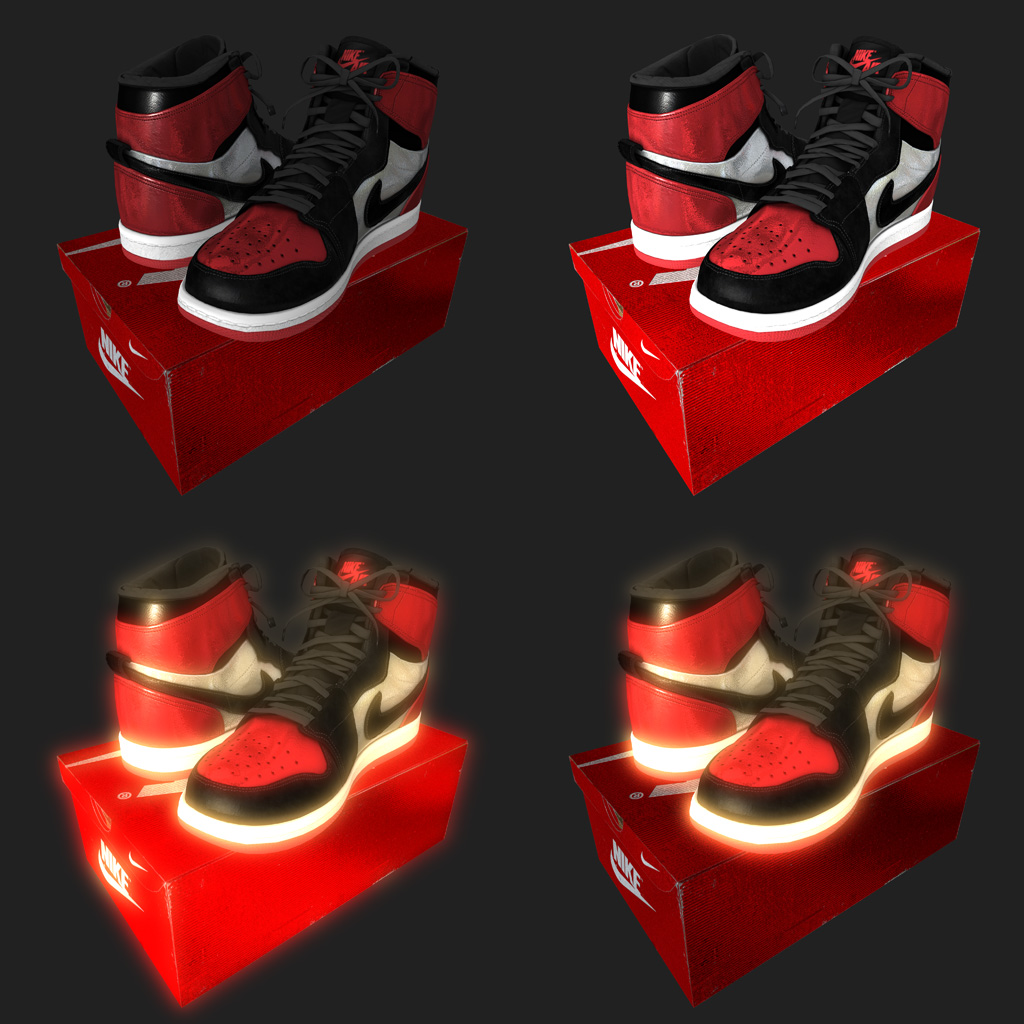
Top left
In the top left you can see a model, downloaded from Sketchfab:
sketchfab.com...
Top right
In the top right, the COLOUR prop has been set to (444, 444, 444). This makes it brighter, but still looks a bit dull. Something seems to be missing...
Bottom left
In the bottom left, the GLOW checkbox in the LAYER > ACTIVE LAYER PROPERTIES... has been marked. That looks more exciting!
Bottom right
In the bottom right, the shoes glow and the box does not. This creates a nice contrast that makes the glowing parts look even better!
This has been done by choosing MEDIA > CHANGE MODEL... and entering the submodel indices of the shoes in the GLOW box. The show file is included to play around with.
Submodel prop
To find the submodels you want to glow, play around with the SUBMODEL prop:
outerspace-software.com...
Version 16.7.6.4
The glow textbox in the MEDIA > CHANGE MODEL... dialog has been introduced in version 16.7.6.4. As always, download the latest version from the download page:
outerspace-software.com...
Have fun
Now make your favorite model look better by adding glow!
Download media files (23.7 KB)


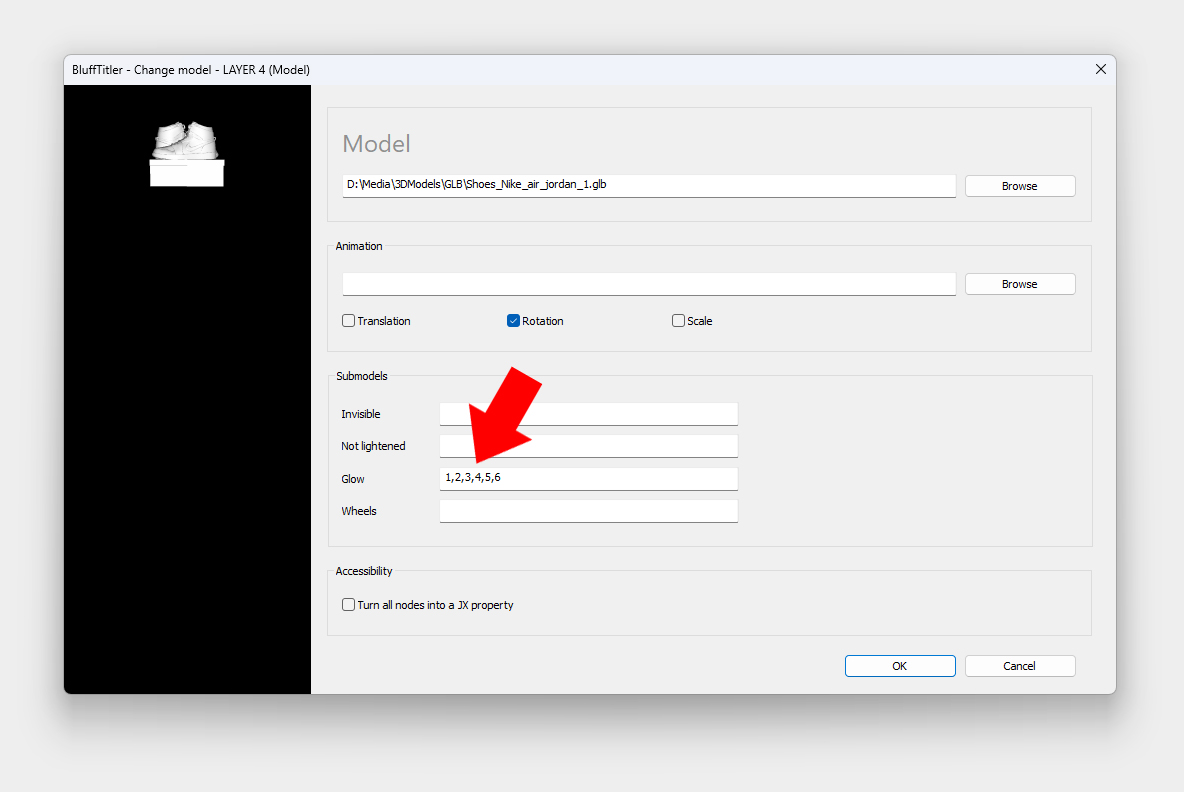
Here's how the MEDIA > CHANGE MODEL... dialog looks like where you can enter the submodels that must glow.
This particular model has 8 submodels:
Left shoe: 1,2,3
Right shoe: 4,5,6
Box: 7
Lid: 8
By entering 1,2,3,4,5,6, both shoes glow!
Here's more info about submodels:
outerspace-software.com...
And here's more about glow:
outerspace-software.com...
michiel, a year ago

not bad
jian dan, a year ago
Modifica ben strutturata per rendere più reale gli oggetti rappresentati. Grazie
nonnogio, a year ago
Beautiful news because it is very quick to get objects with glows only where it is necessary.
Thanks Michiel, excellent uograde.

Franco Aversa, a year ago
模型能增强作品的立体效果,有很高的应用性,感谢更新,希望大师们有更高的研究!
XUE YING, a year ago
Thank you all!
Here's a 3rd way to add glow: add a glow map in the MEDIA > CHANGE TEXTURE... dialog. This is always the 5th texture slot: outerspace-software.com...
And of course you can also add glow by editing the model in a 3D modelling app like Blender.
michiel, a year ago
Comment to this article
More by michiel












About michiel
Michiel den Outer is the founder and lead coder of Outerspace Software. He lives in Rotterdam, the Netherlands.
If he isn't busy improving BluffTitler, he is playing the piano or rides the Dutch dikes on his bikes.
891 articles 4.8M views
Contact michiel by using the comment form on this page or at info@outerspace-software.com