
 michiel | 2 days ago | 6 comments | 7 likes | 117 views
songbaojin, xuelianghua, Zhang Guiru and 4 others like this!
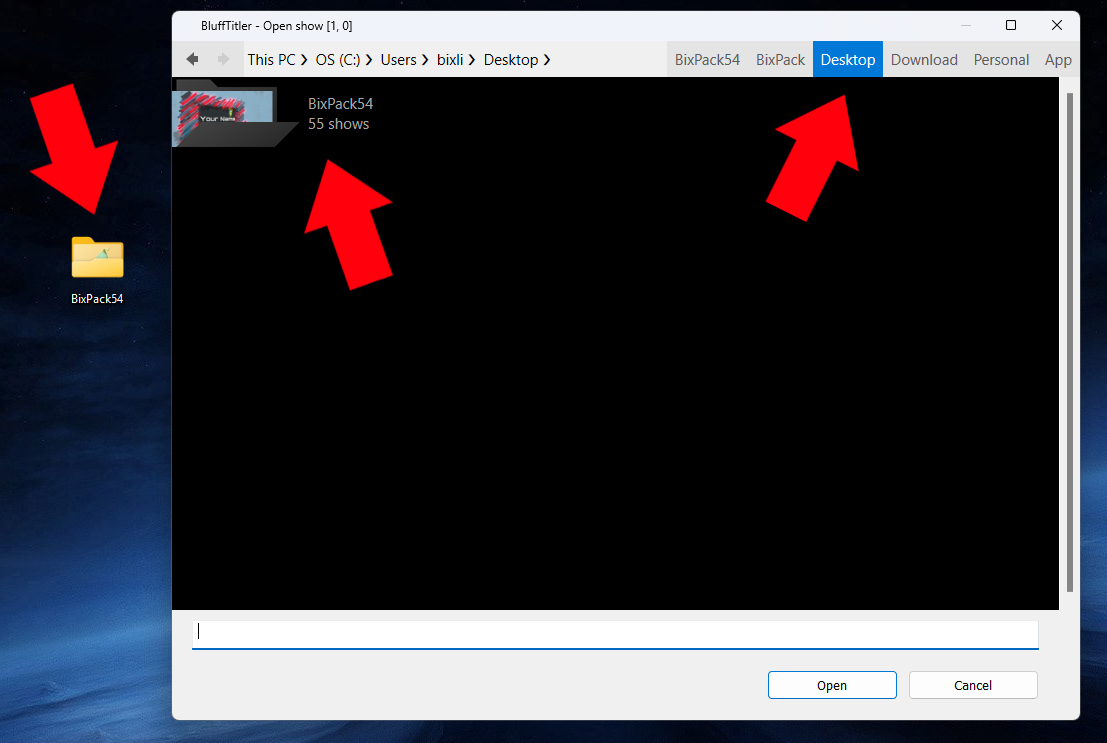
Here's how to open a BixPack template when you have placed it on your desktop:
1) Start BluffTitler
2) Choose the menu item FILE > OPEN SHOW...
3) Click on the DESKTOP button in the upper right
4) Double click on the BixPack folder


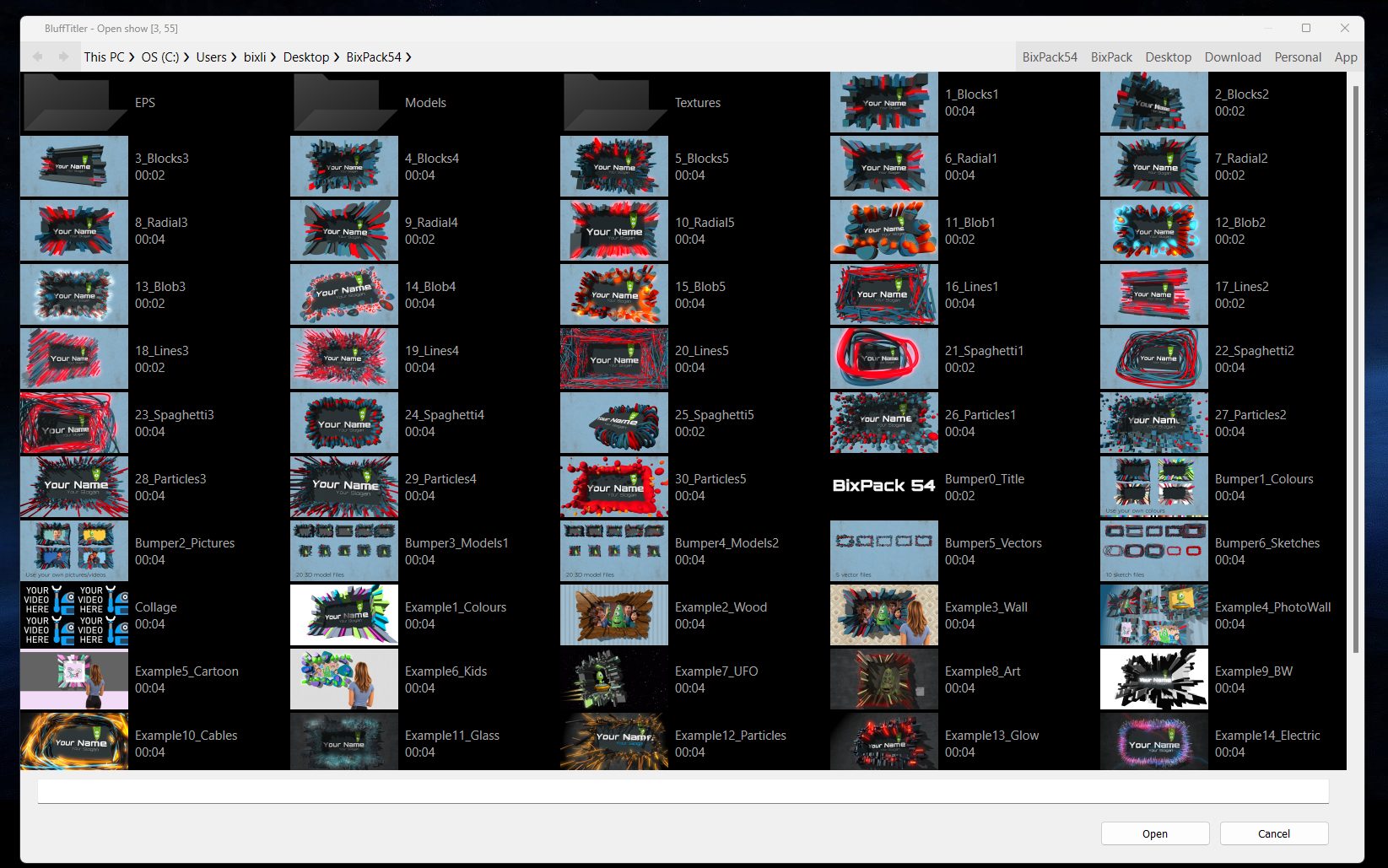
Another way is to double click on the folder icon on your desktop.
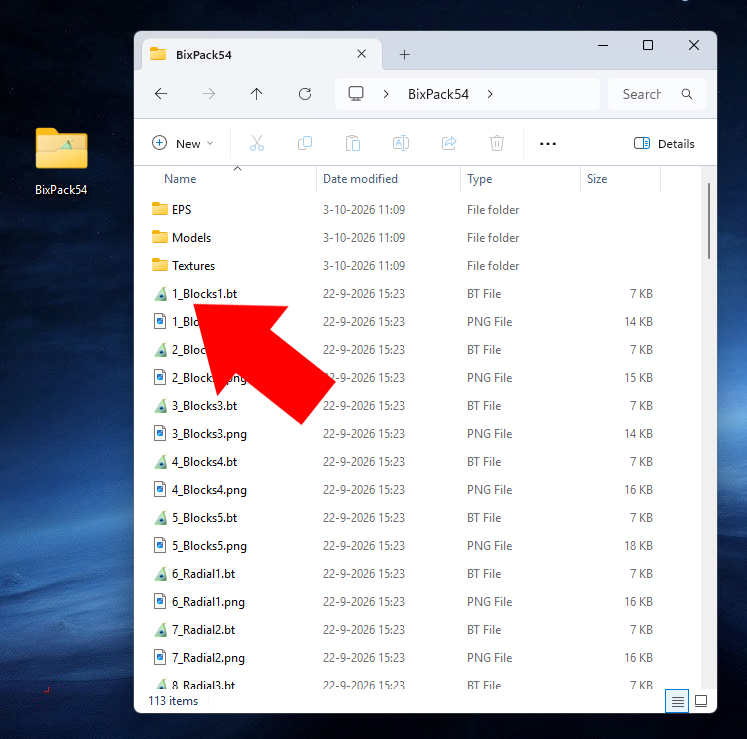
A show file has a Bix icon and the .bt extension.
It can be opened by double clicking on it.
Or by dragging and dropping it on BluffTitler's render window.
michiel, 2 days ago
BluffTitler has its own file dialog. When you prefer the standard Windows file dialog, mark the USE STANDARD WINDOWS FILE DIALOG checkbox in the SETTINGS > OPTIONS... dialog.
More info in the user guide:
michiel, 2 days ago

sometimes get all crashed so misses me thumbnails and must to open show by show and save it to get them back, any clue for faster recover?

bambamD, 20 hours ago
BambamD, at the moment there's no functionality to update the thumbnails of all shows in a folder. So yes, opening and saving them one by one is the only way. Thank you for your request!
michiel, 2 hours ago
Comment to this article
More by michiel



















About michiel
Michiel den Outer is the founder and lead coder of Outerspace Software. He lives in Rotterdam, the Netherlands.
If he isn't busy improving BluffTitler, he is playing the piano or rides the Dutch dikes on his bikes.
890 articles 4.8M views
Contact michiel by using the comment form on this page or at info@outerspace-software.com